Meet Sky, SlickTrip’s own AI assistant. Ask for a trip, see a month of fares, then set, change or stop fare watches in plain language.
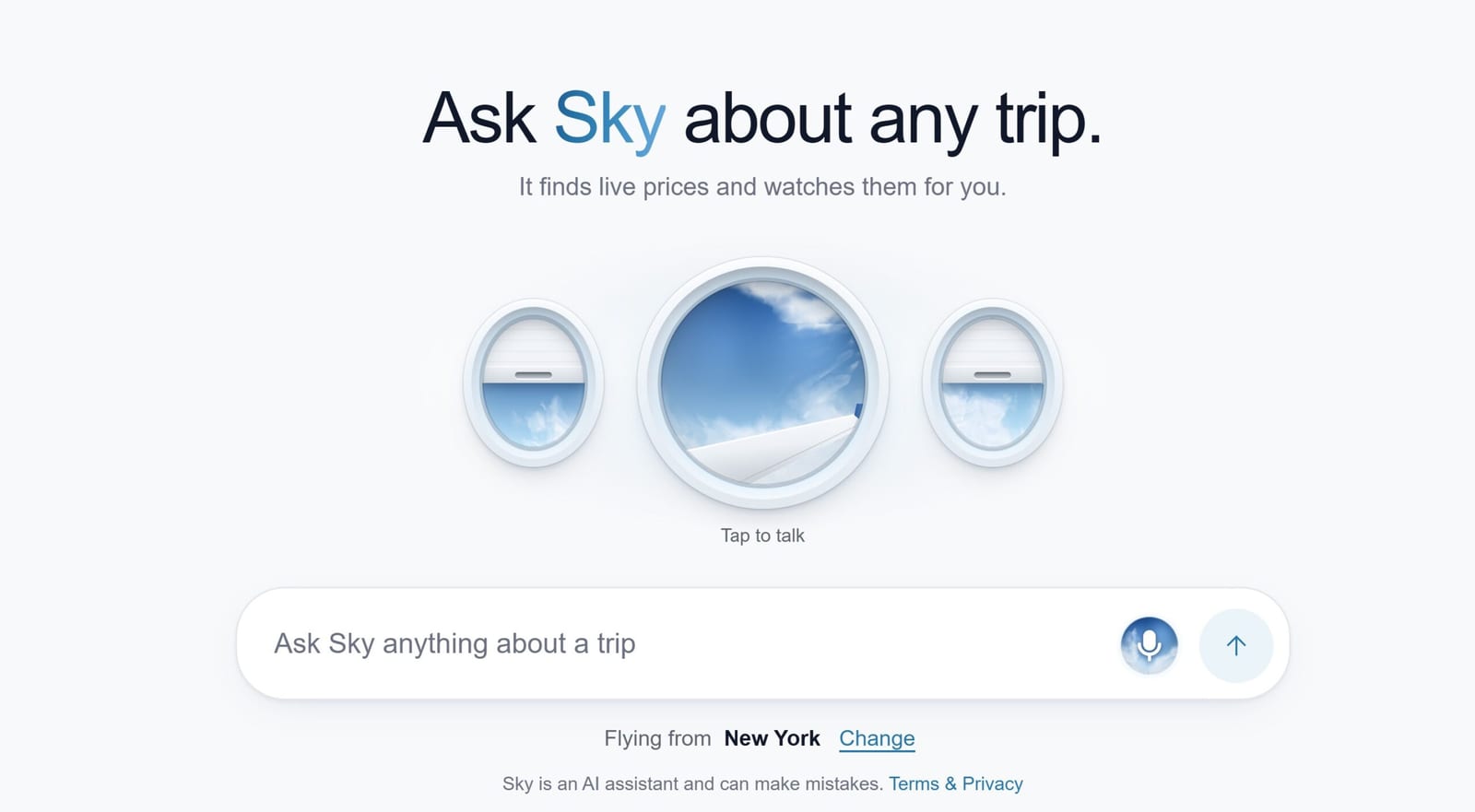
Try Sky… SlickTrip’s AI: find and watch flight fares in one conversation
SlickTrip AI is SlickTrip’s own travel assistant. Its name is Sky. You tell Sky where you want to go, and it shows live fares, lays out a month of prices, and watches them for you. You set a watch, change it, or stop it by typing or saying a sentence. You don’t open a separate page to fill in dates, travelers, or price limits.
This post follows one trip from the first question to a finished set of watches: a ski trip from New York to Jackson Hole in January 2027. The screenshots were captured in October 2026 in a desktop browser. Prices are examples from that session, not current offers, and Sky’s labels and layout may change.
Start a chat
Go to SlickTrip AI and sign in with your SlickTrip account. There’s nothing to install or connect, and there are no access prompts to approve. Sky only works with SlickTrip, so you don’t need to ask for SlickTrip by name.
Sky remembers the details you’d repeat
Sky keeps a short list of what it knows about you, such as your home airport, how many people usually travel, and your cabin. Open Memory in the menu to see it. Each line can be edited or deleted, and you can add your own with Add something about you. If Sky picks up something you’d rather it didn’t keep, remove it, and you can bring it back later.
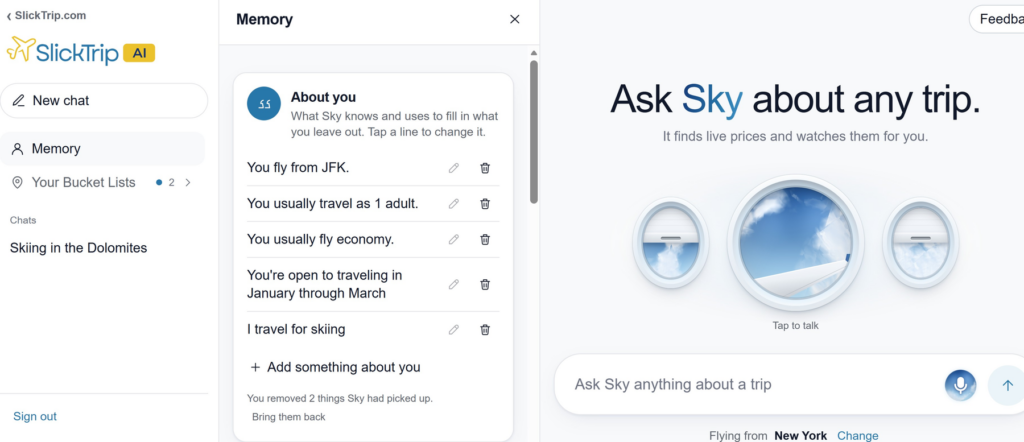
Memory shows what Sky uses to fill in what you leave out. Tap a line to change it.
This is what saves you the usual form. You don’t type JFK, one adult, and economy every time; Sky already has them.
Ask for a trip the way you’d say it
Type your trip in plain words. Here the request was, “I would like to fly to Jackson Hole for skiing in January 2027.”
Sky filled in the rest from Memory, saying it would assume a JFK departure in economy. It asked one question, how many nights, and offered 5, 7, or 10 as one-tap choices. It also offered to set up a bucket list, which watches a whole range of dates, in case your dates are still open.
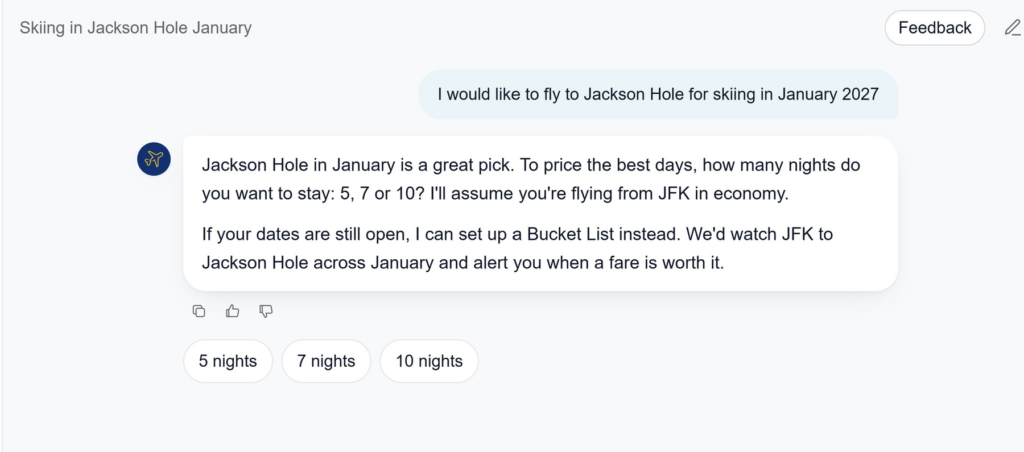
One question from Sky, with tap-to-answer choices. Everything else came from Memory.
See the whole month at once
After you pick a trip length, Sky shows a fare calendar for the month. Each date shows the cheapest round trip for that departure. In this example, 5-night round trips from New York to Jackson ran from $521 to $783, with $557 typical.
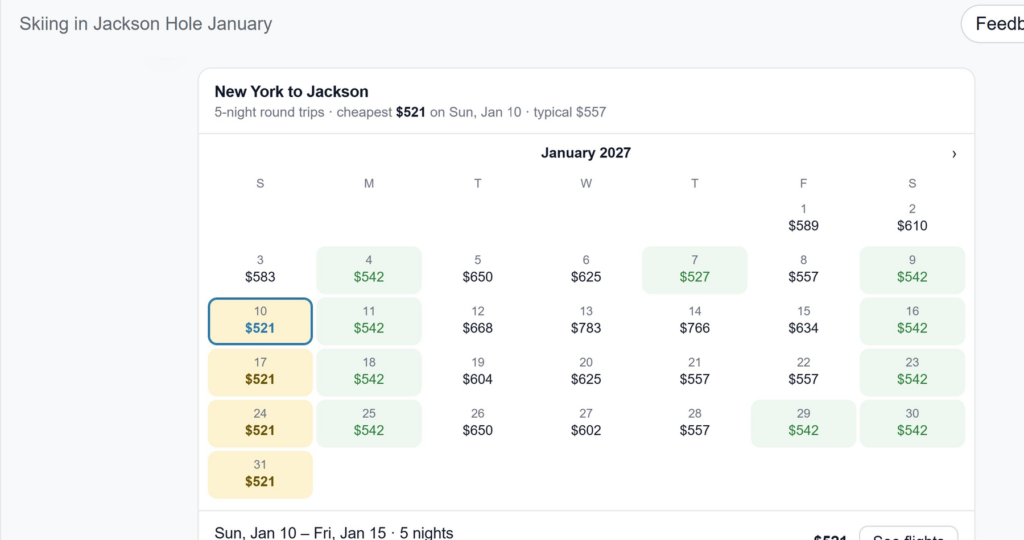
The fare calendar shows every January departure for a 5-night stay.
Below the calendar, Sky sums up the pattern for you. Here, the $521 fares fell on four Sundays: January 10, 17, 24, and 31. The most expensive stretch was January 12 to 14. Sky then asked whether you want flights for one date or a watch on the whole month.
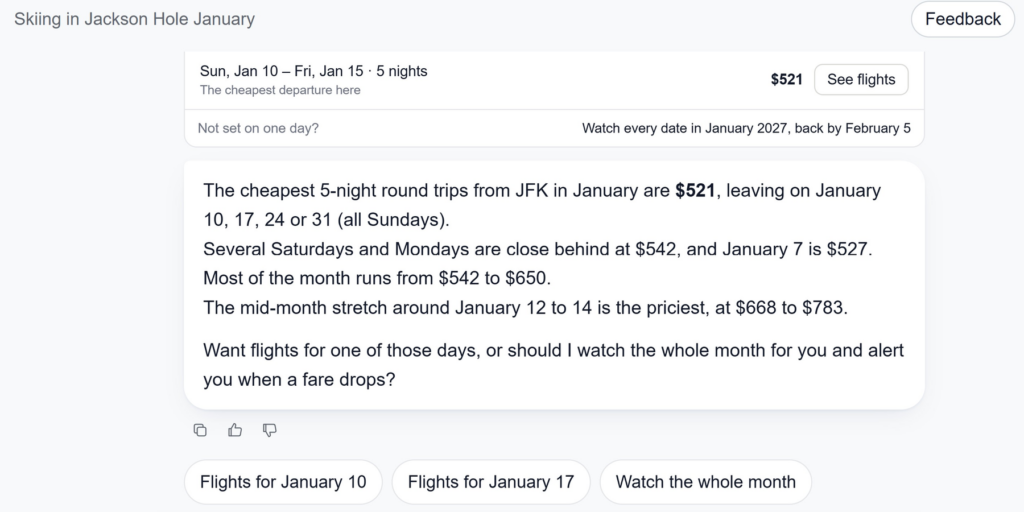
Sky explains the calendar in a few sentences and suggests what to do next.
Watch the whole month
If you haven’t settled on dates, tap Watch the whole month. Sky created the bucket list right away: JFK to Jackson Hole, one traveler, economy, 5-night trips leaving any day from January 1 to 31, with up to 2 stops. It’s saved under Your Bucket Lists in the menu, and alerts go to your email.
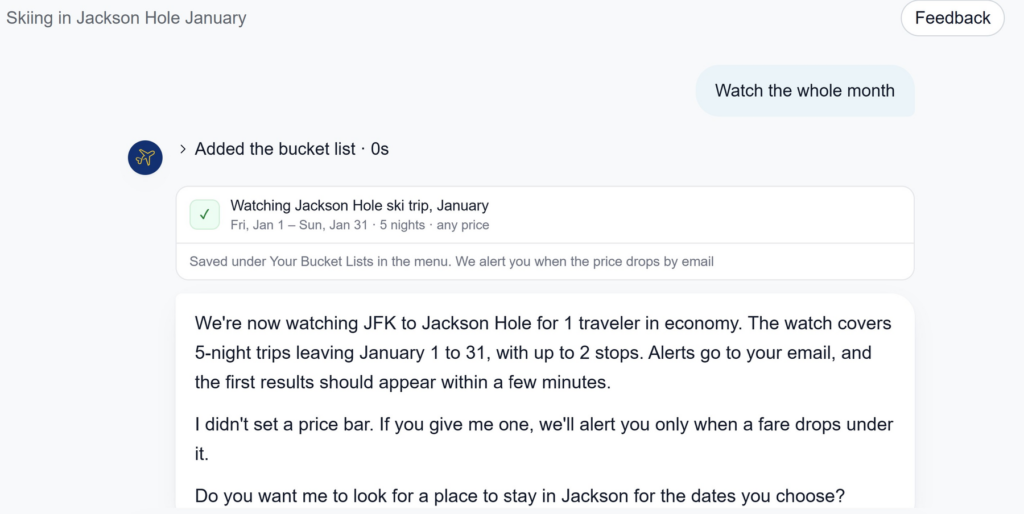
A month-long watch, created in one reply.
Set a price limit
A watch with no limit alerts you when the price drops. To hear only about fares below a number you choose, say Set a price limit. Sky reminded you that the cheapest fare it found was $521 and offered $500, $600, and $750 as choices.
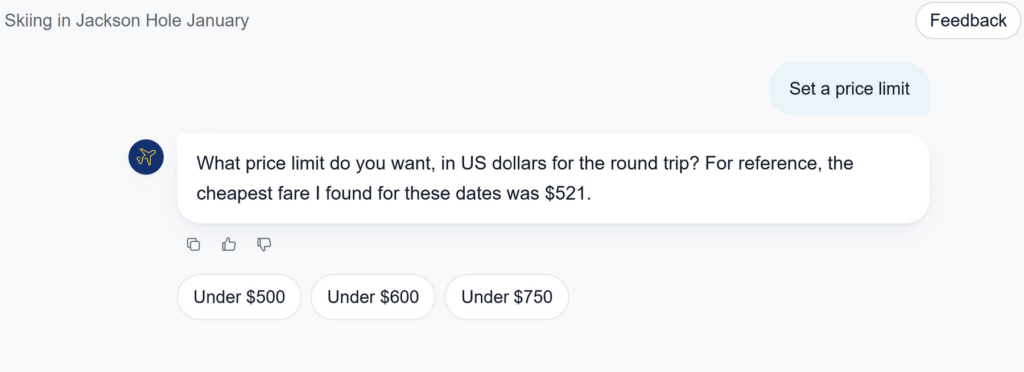
Sky gives you the current low fare before you choose a limit.
With Under $500 chosen, Sky confirmed the limit and told you plainly that nothing fits it yet.

Sky confirms the new limit and tells you where fares stand today.
Watch one specific fare
You can also watch an exact trip. Say Watch this fare. Because four dates shared the $521 price, Sky asked which one, and suggested the earliest.
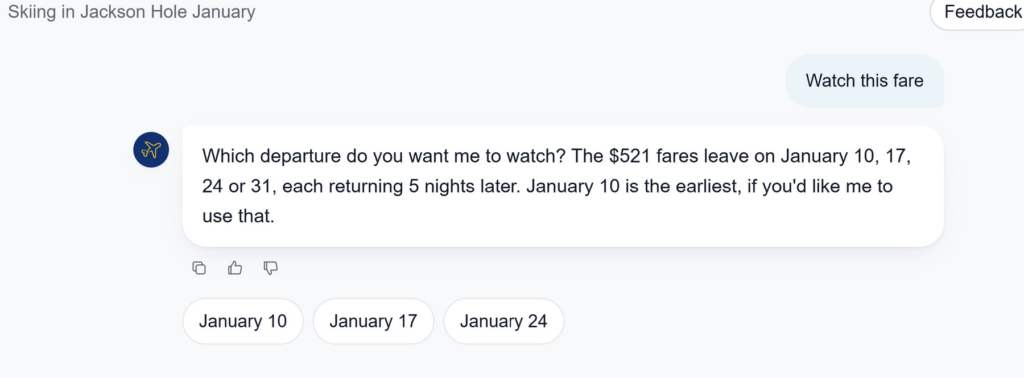
When there’s more than one match, Sky asks instead of guessing.
For January 10, Sky showed the flights for that round trip. The two $521 options were Delta flights, one through Salt Lake City and one through Atlanta. American fares ranged from $536 to $645.
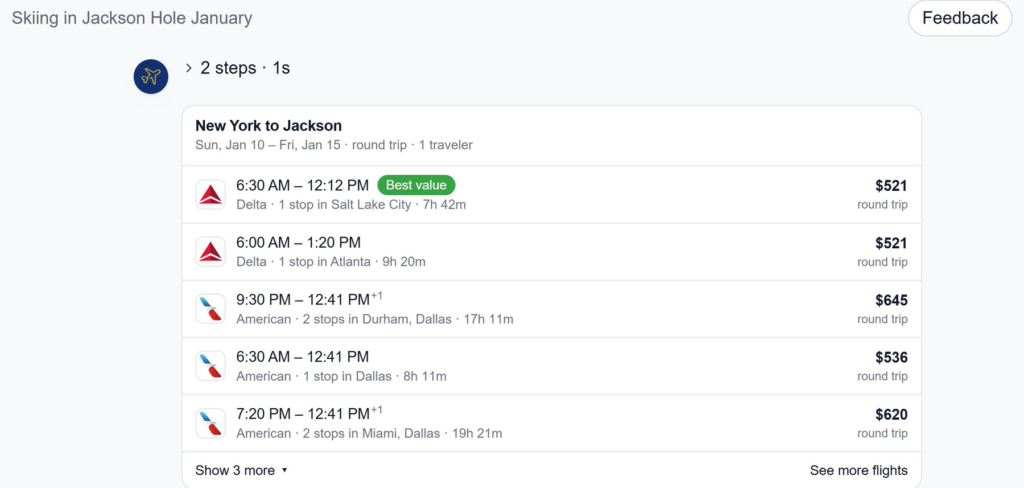
Flight options for January 10 to 15, with times, stops, and round-trip prices.
Sky then started watching the Delta flight through Salt Lake City, which was the cheapest and fastest of the options shown. It kept your $500 limit and set alerts by email and text. The watch is saved under Your flight alerts in the menu.
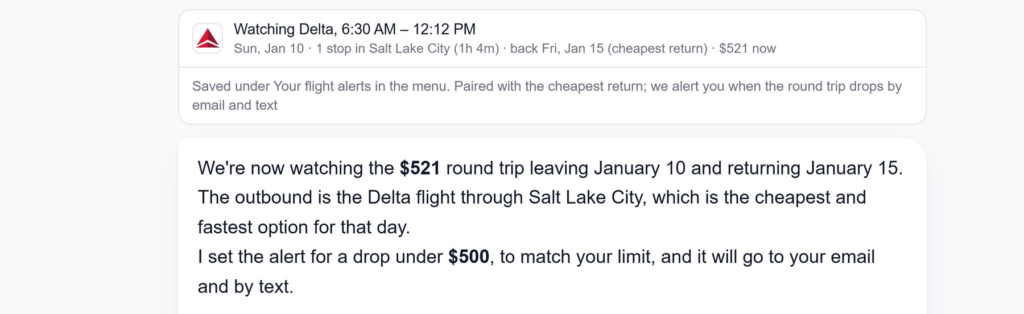
A watch on one exact flight, with your price limit carried over.
Change your mind in one sentence
Plans move. To shift the watch a week later, the request was simply, “Change this watch to January 17.” Sky pulled up the January 17 to 22 flights.
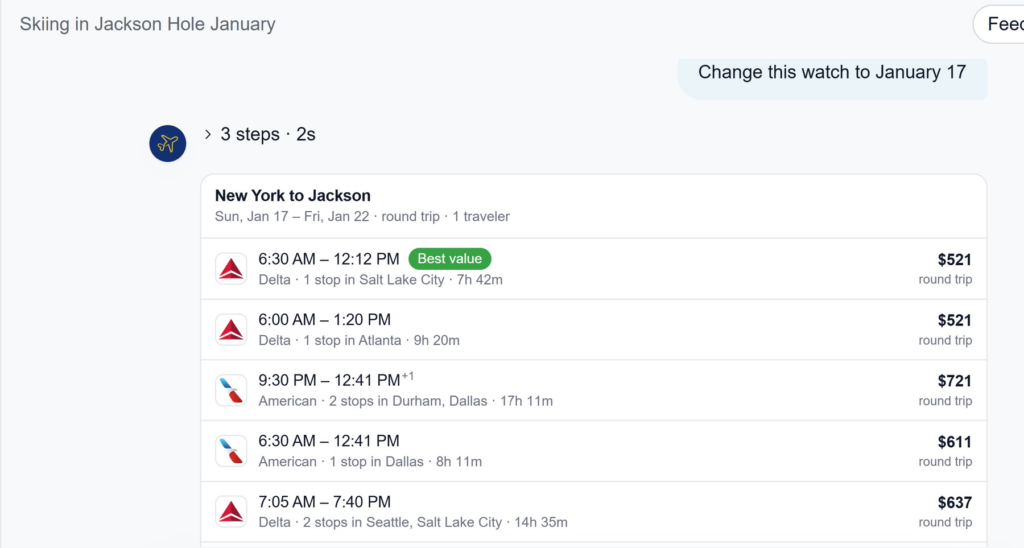
Ask for a different date, and Sky looks it up.
Sky then moved the watch to the same Delta flight for January 17 to 22, stopped the January 10 watch, and kept your $500 limit. Sky also confirmed that your month-long watch was still running.

Sky replaces the old watch, so you’re not left with two.
Stop a watch
When you no longer need a watch, say so. “Stop the January 17th watch” ended that alert. Sky confirmed it, reminded you that the month-long watch with its $500 limit was still on, and offered next steps, including Lower the $500 limit.
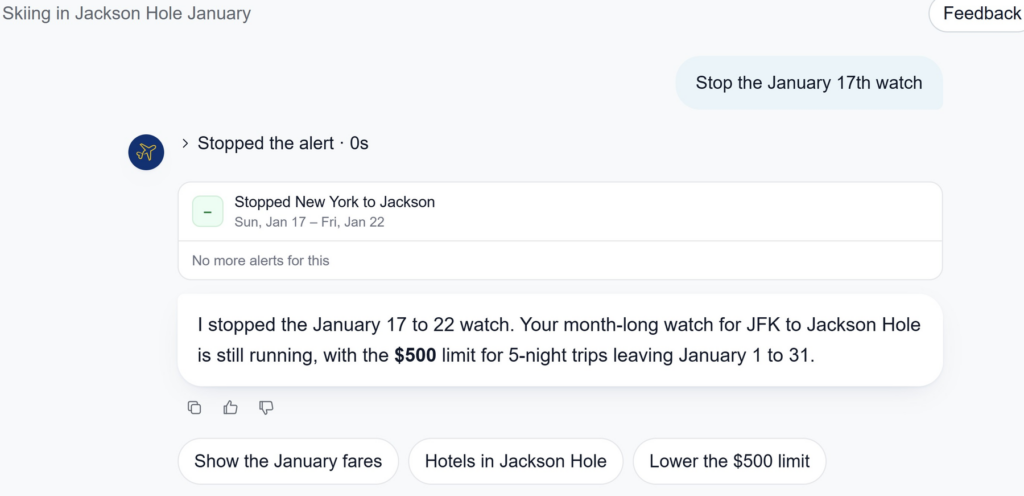
Stopping one watch leaves your other watches alone.
Ask out loud
You can also talk to Sky. Tap Tap to talk and speak. Here the request was, “Show me my bucket list.”

Sky shows your spoken request as text, so you can see what it heard.
Sky listed every bucket list on the account, not only the one from this chat, with the lowest fare found so far for each and its price limit. That includes the New York to Tokyo list, which was created in ChatGPT. Sky, Claude, and ChatGPT all use your SlickTrip account, so a watch you set in one shows up in the others when you sign in with the same account.
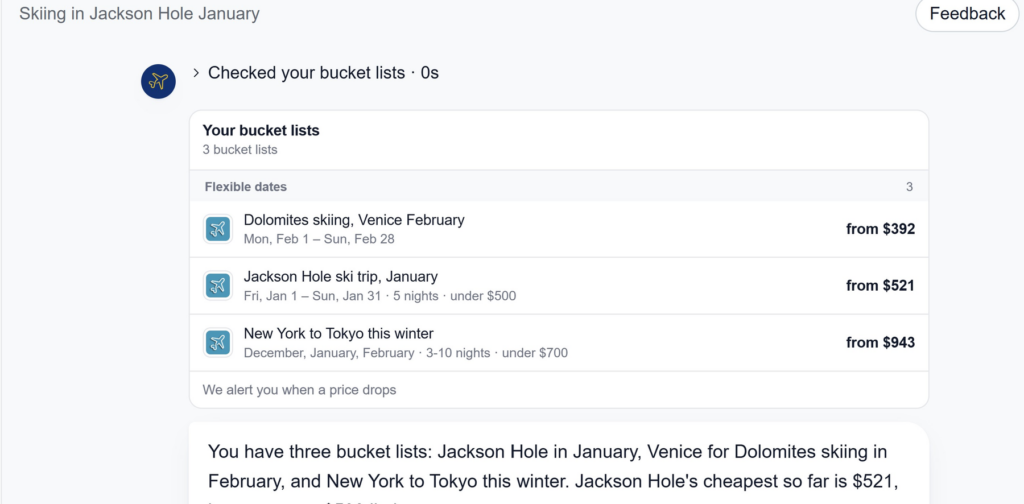
All of your bucket lists in one reply, with the current low fare for each.
You can switch between talking and typing in the same chat. This conversation finished with a typed reply.
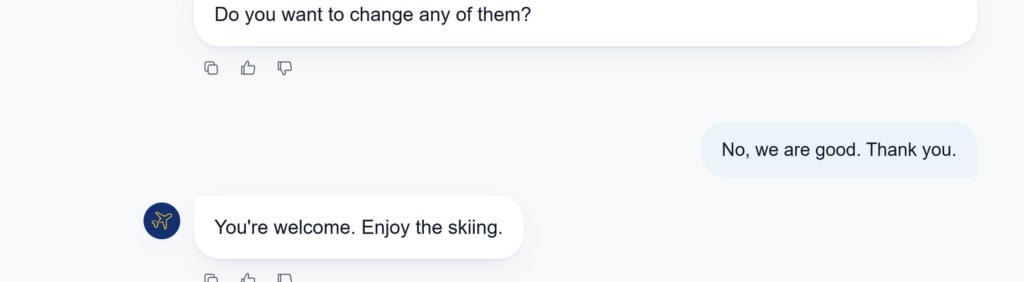
Talk or type, whichever is easier at the moment.
What’s different from SlickTrip in Claude or ChatGPT
You can also use SlickTrip inside Claude and ChatGPT, and in both you can search fares and start a watch without leaving the chat. Our guides show each step: How to use SlickTrip in Claude to watch flight fares and How to use SlickTrip in ChatGPT to watch flight fares. If one of those assistants is already part of your day, they’re a good way to go.
SlickTrip AI makes the same work simpler in a few ways:
- No setup. You don’t add a connector or plugin, and there are no access prompts to approve. You sign in and start.
- Always SlickTrip. You never need to ask for SlickTrip by name to get SlickTrip fares and watches.
- Your details are already filled in. Memory supplies your home airport, travelers, and cabin, and you can see and edit what Sky keeps.
- Watches stay in the conversation. You create, change, limit, and stop watches and bucket lists by asking, and Sky tells you what it changed.
- One account everywhere. Watches and bucket lists you set up in Claude or ChatGPT appear in Sky when you use the same SlickTrip account, so you can pick up where you left off.
- Voice is built in. You can ask out loud and switch to typing at any time.
When you’re ready to book
Sky finds and watches fares; it doesn’t take your payment. When you’re ready, booking happens on the seller’s site.
For why a fare watch matters once your AI has found a flight, see Your AI found a flight. Who watches the fare until you book?